Sanctum / PressUpdated 2026-09-16

Your thoughts, in files you own.

Sanctum is a private voice journal for iPhone. Catch a thought with one press, return to a useful note organized by tags, and keep the plain-text files wherever you choose.

The product

Catch it. Make sense of it. Keep it.

01 / Data sovereignty

Files that can outlast the app.

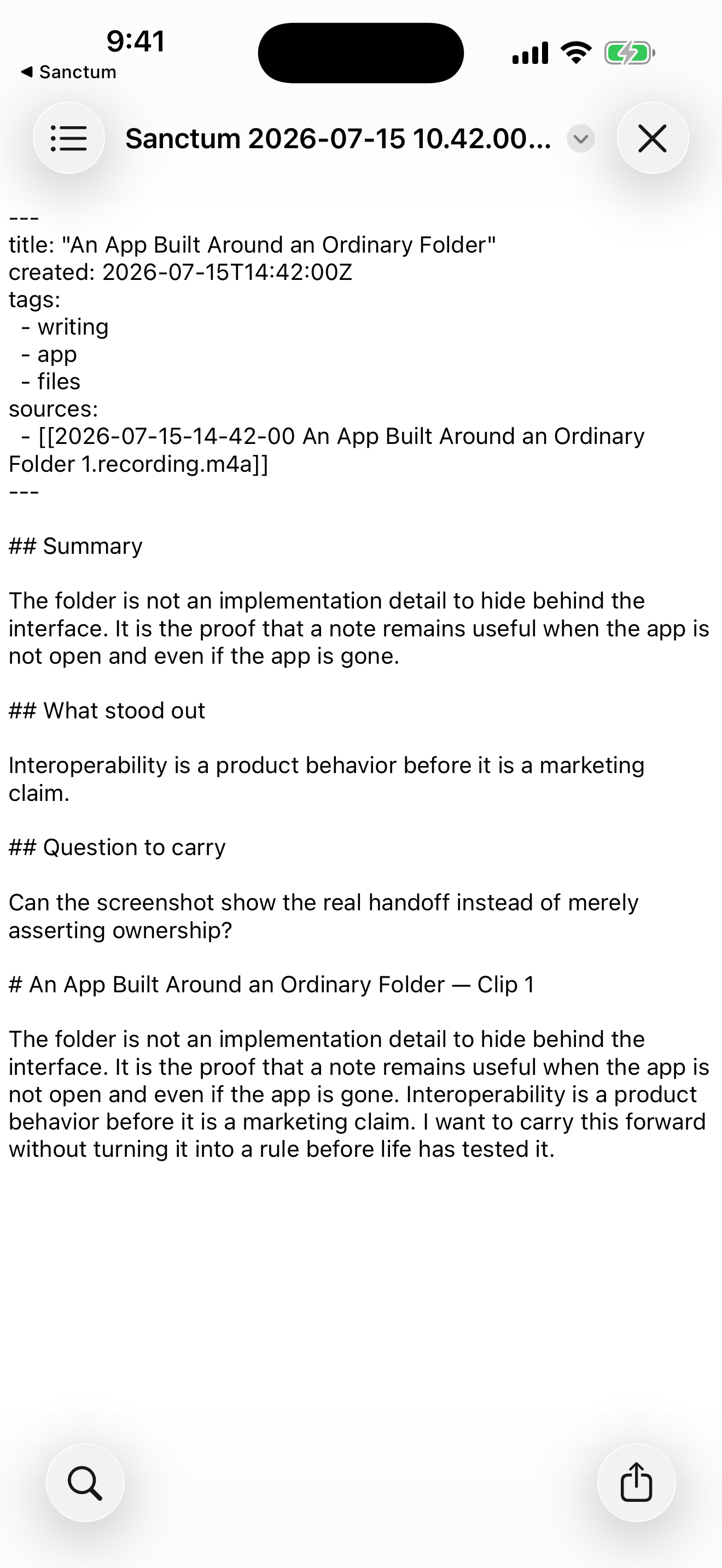
Your written notes are plain-text Markdown files on your device, in ordinary folders you can open in Files. Read them in another editor, copy them to another computer, or take them into your own note system. You do not need Sanctum to keep using what you wrote.

Recordings are M4A audio; structured transcripts are JSON. The written notes are Markdown. Your files remain useful independently of the app.
02 / Privacy

Your data is for you.

Your thoughts belong to you. Sanctum does not sell your note content or personal information, use your notes for advertising, or use them to train AI models. When you choose cloud processing, your content is sent only to do the work you asked for, and our chosen providers follow the same policy as above. No training and ensuring that your data is not for sale.

Local recording and your library work without an account. Cloud processing requires your consent. We choose processors with no-training and no-sale terms; the processing details below explain their retention boundaries.

03 / Self-organization

Speak freely. Find it by topic.

Analysis adds tags to your notes, helping related ideas find a place without a filing session. Browse by topic, search your notes, and add or edit tags yourself. Your tags stay with the written note when you take the file elsewhere.

Automatic tags accompany analysis. Browsing and editing tags stay local. Tags organize how you find notes; they do not move your files into folders.

04 / One-press capture

Catch the thought before it’s gone.

An idea on a walk. A thought while cooking. Something you understand after a conversation. With Sanctum assigned to your iPhone’s Action Button, one press begins recording and another saves. Speak while the thought is still with you, then return to a clear note.

The Action Button shortcut needs setup and a compatible iPhone; microphone permission and device authorization apply. You can also start a recording in the app or through Siri.

From the founder

The voice journal I kept wanting.

Mike Alicea

Built In Space LLC

I built Sanctum because I wanted it for myself. For years, I wanted a place to speak a thought in the moment and return to something useful, with the files still mine. I could find pieces of that experience, but nothing quite worked the way I wanted.

In November 2024, I released Scribe, a plugin for Obsidian. It was a beginning, but I kept wanting a native app built around the same principles of ownership, with privacy and quick capture at its center. Those principles shaped Sanctum from the start: the notes should live in ordinary files, and capturing a thought should take as little effort as possible.

Today I use Sanctum multiple times a day. I’m building it for people who think out loud, who want room to follow a thought, and who want to keep what comes out of it.

At a glance

The practical details.

Download fact sheet
App
Sanctum · private voice journal
Availability
Available on the App Store for iPhone. Requires iOS 18 or later; some features need newer software or supported hardware.
Local use
Recording, playback, browsing, search, editing, tags, sharing, and export work without an account. Local notes remain usable when cloud-analysis minutes run out.
Introductory analysis
Start with an 11-minute guest trial, then receive 33 additional minutes when you create an account. That path provides 44 introductory minutes. Signing up first starts with 33 minutes.
Purchases
Optional subscriptions and analysis-minute top-ups are available in the app. The app shows current App Store prices for your region.
File formats
Markdown written notes, JSON structured transcripts, and M4A recordings. Tags travel in the written note’s frontmatter.

Try it for yourself

Download Sanctum from the App Store and choose the 11-minute guest trial to try online analysis before creating an account. Local recording and the library need no account. For questions or help evaluating a feature, contact Mike directly.

Cloud processing & retention

Local first, cloud by choice

Recording and your local library work offline. On-device transcription is available on supported devices. Online transcription and written analysis send the selected audio or text after the processing notice and your consent. Private Backup is a separate opt-in and encrypts files on your device.

Short processing windows, explained

Sanctum deletes temporary uploaded audio when a cloud job ends, with a one-day storage lifecycle as a backstop. An hourly cleanup worker requests deletion of AssemblyAI transcription jobs after a 24-hour recovery window and retries until confirmed. Expiry and deletion can take additional time. These limits concern processing copies, not the files you keep.

The providers’ part

Sanctum’s recorded AssemblyAI account configuration opts out of model training. RedPill is the default synthesis route, with confidential compute and zero data retention requested. The privacy policy names the processors, their training terms, and the limits of each route.

Read the full privacy policy

Ready for editorial use

See the notes. Open the files.

These unretouched screenshots show the recording interface and fictional demonstration notes. They illustrate the interface, not customer testimony or measured analysis quality. Assets may be used for editorial coverage of Sanctum with credit to Sanctum / Built In Space LLC; no endorsement is implied.

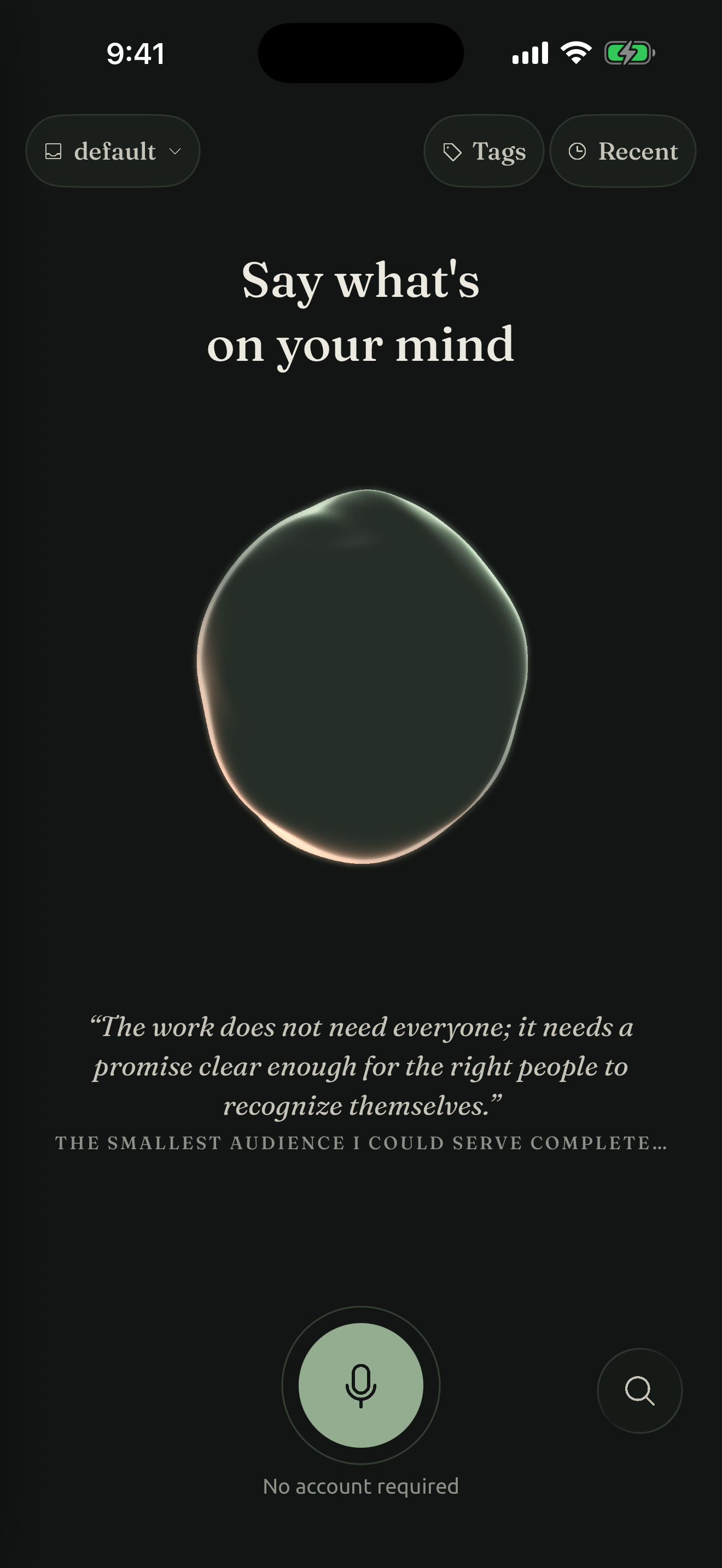
Sanctum open and ready to record.

Ready

Sanctum open and ready to record.

Download PNG : Ready
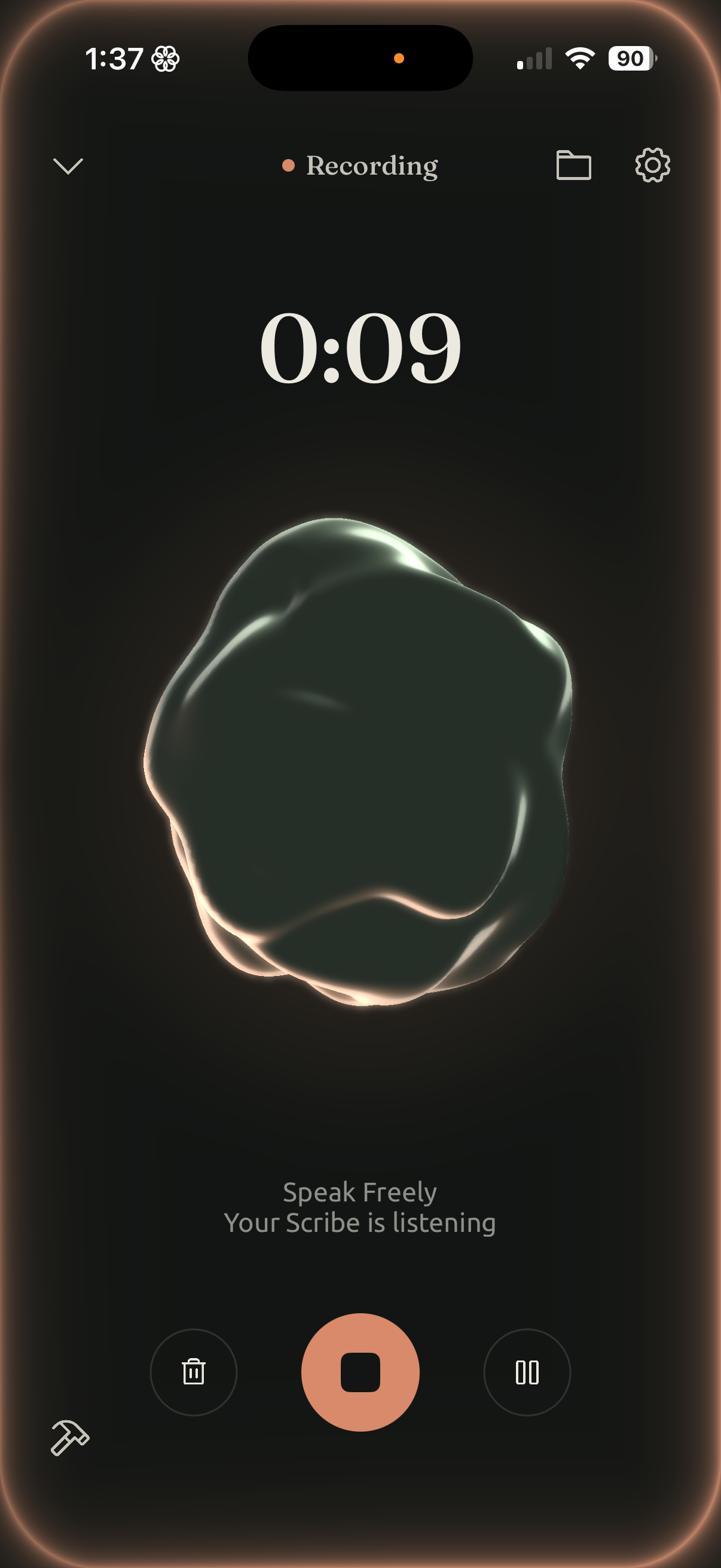
Sanctum listening while you speak.

Listening

Sanctum listening while you speak.

Download PNG : Listening
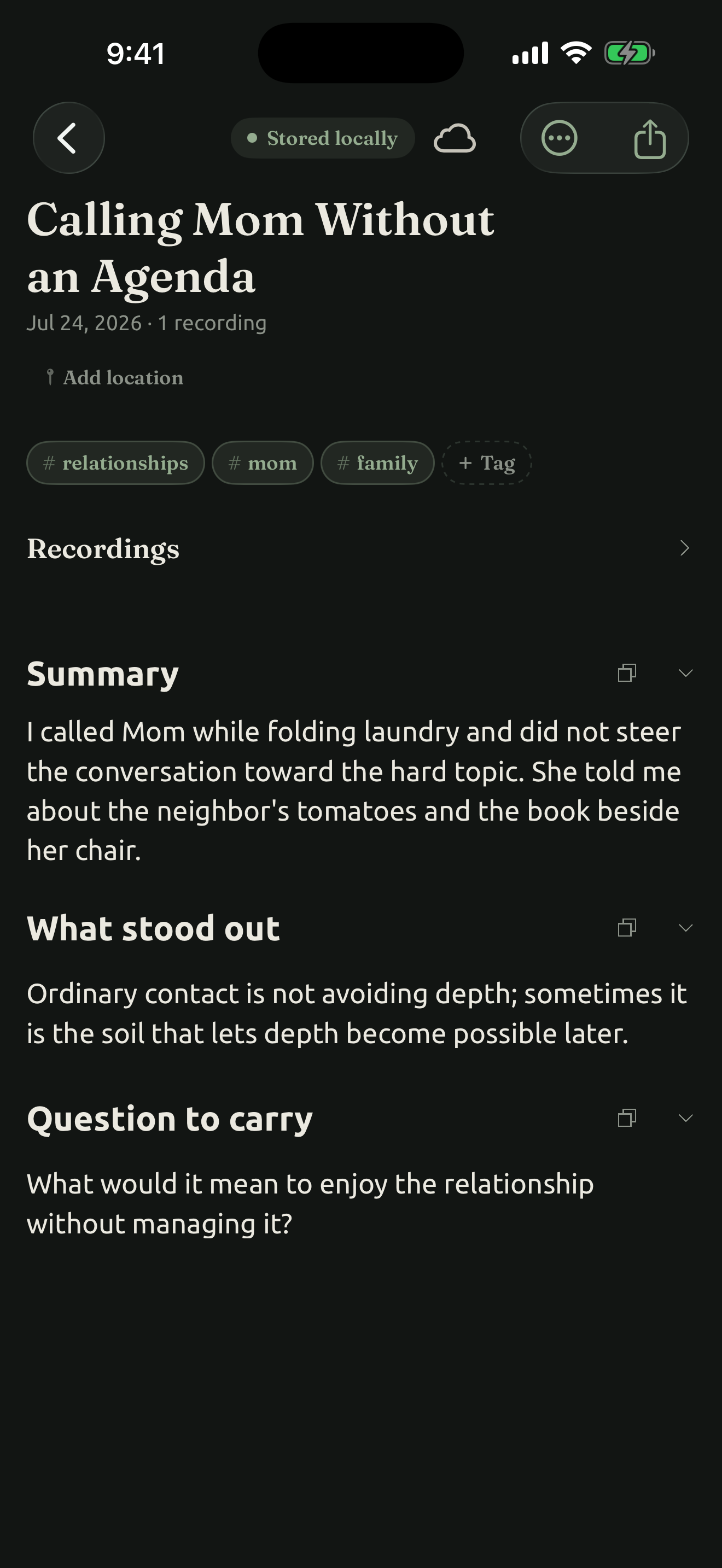
Calling Mom Without an Agenda: a note to return to after an ordinary conversation.

A personal reflection

Calling Mom Without an Agenda: a note to return to after an ordinary conversation.

Download PNG : A personal reflection
An App Built Around an Ordinary Folder: readable Markdown and tags in Apple’s Files app. This is a separate example from Sunday Reset.

The file outside Sanctum

An App Built Around an Ordinary Folder: readable Markdown and tags in Apple’s Files app. This is a separate example from Sunday Reset.

Download PNG : The file outside Sanctum
Sanctum app icon

App icon

1024 × 1024 PNG

Download icon

Open a note. Keep the tags.

Download the fictional Sunday Reset note as Markdown and open it in any text editor. Its tags are readable at the top of the file. This example includes the written note only; the source recording references are preserved, but audio is not included.

Questions, interviews, or another image?

contact@builtinspace.xyz